

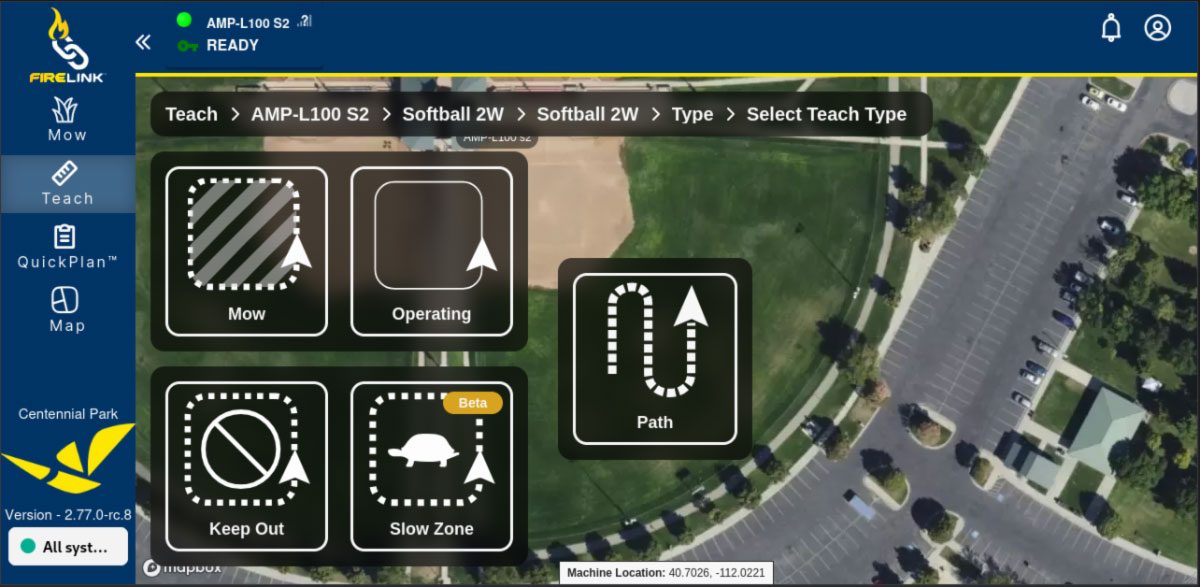
With the recent release of Slow Zones in FireLink, operators can designate areas where the machine automatically reduces speed. This added level of control helps protect turf, improve precision in complex areas, and keep the rest of the mowing operation running efficiently.
Protect Sensitive Turf
Not every part of a mowing path calls for the same operating speed. Wide open fairways allow machines to run efficiently, while tighter or more sensitive areas benefit from a more controlled approach.
Certain areas of a course naturally experience more traffic than others. Tight turns, narrow corridors, and transition points between fairways can see repeated passes from equipment.
Slow Zones help reduce machine speed in these locations, minimizing stress on the turf. The result is healthier grass in areas where wear often appears first.
Handle Tight Areas with Precision
Some parts of a property require extra care. Areas near bunkers, trees, irrigation covers, or other surface elements often benefit from slower travel speeds.
Slow Zones allow the machine to automatically slow down when entering these sections and return to normal speed afterward. This helps the machine navigate complex areas more smoothly while maintaining efficiency across the rest of the mow area.
Additional Confidence
Slow Zones give operators greater confidence when designing autonomous mowing routes. Knowing that the machine will automatically reduce speed in specific areas allows operators to plan efficient paths without worrying about overly aggressive travel speeds in tighter spaces.
This flexibility makes it easier to manage complex mowing environments while still maximizing productivity.
Plan and Visualize
Slow Zones are created just like other “teach-and-repeat” paths but offer the flexibility of customizing the zone width.
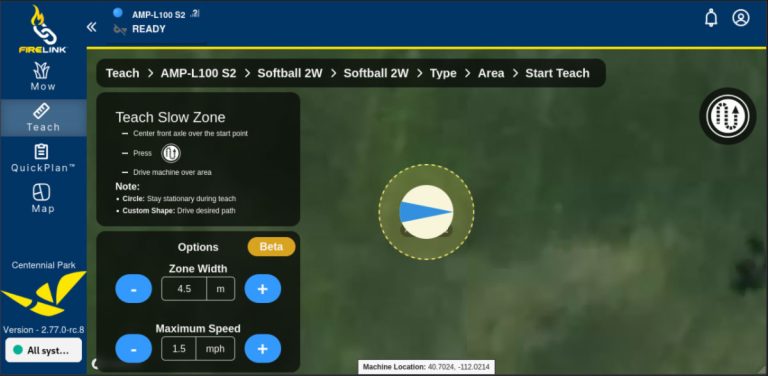
First, set your desired zone width and maximum speed. Center the front axle over the start point and press the Record Path icon. From there, you can drive the machine to create a custom-shaped slow zone, or simply leave the machine stationary to create a circular slow zone around that location.
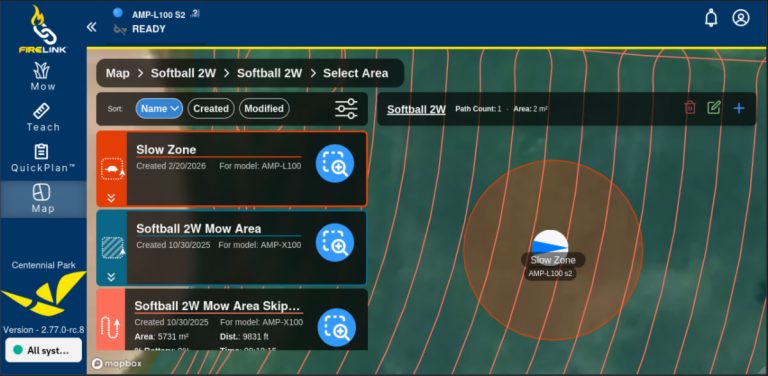
Once saved, slow zones appear directly on the FireLink map. Operators can easily see where speed adjustments occur and refine routes over time. This visibility helps teams build smarter routes as they gain experience with their autonomous operation.
A Small Change That Makes a Big Difference
Slow Zones add another layer of control to autonomous mowing. By reducing speed automatically where it matters, operators can protect turf, navigate tight areas more confidently, and keep machines running efficiently across the rest of the property.